COFFEEBAR
A mobile ordering experience built for busy days
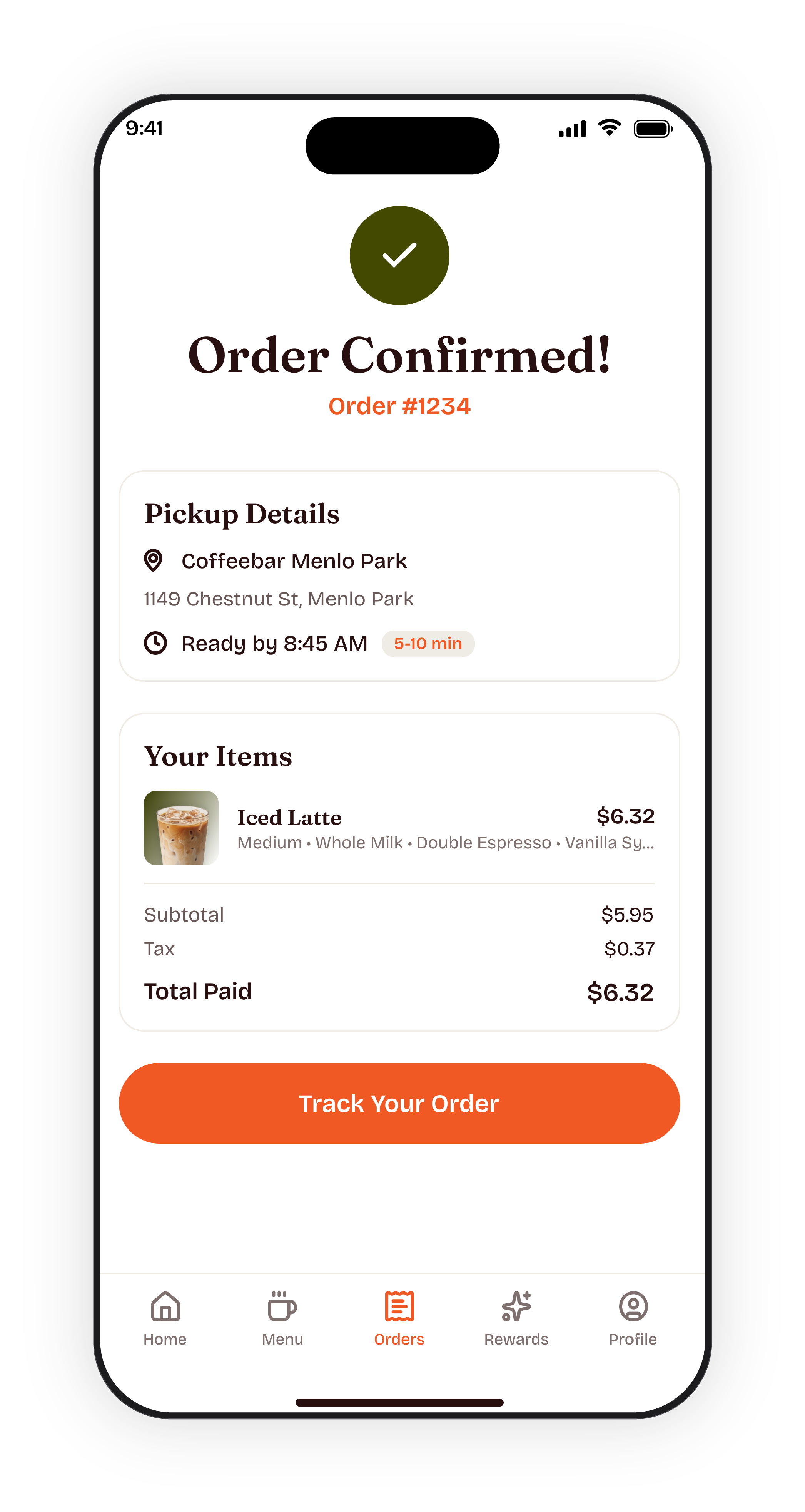
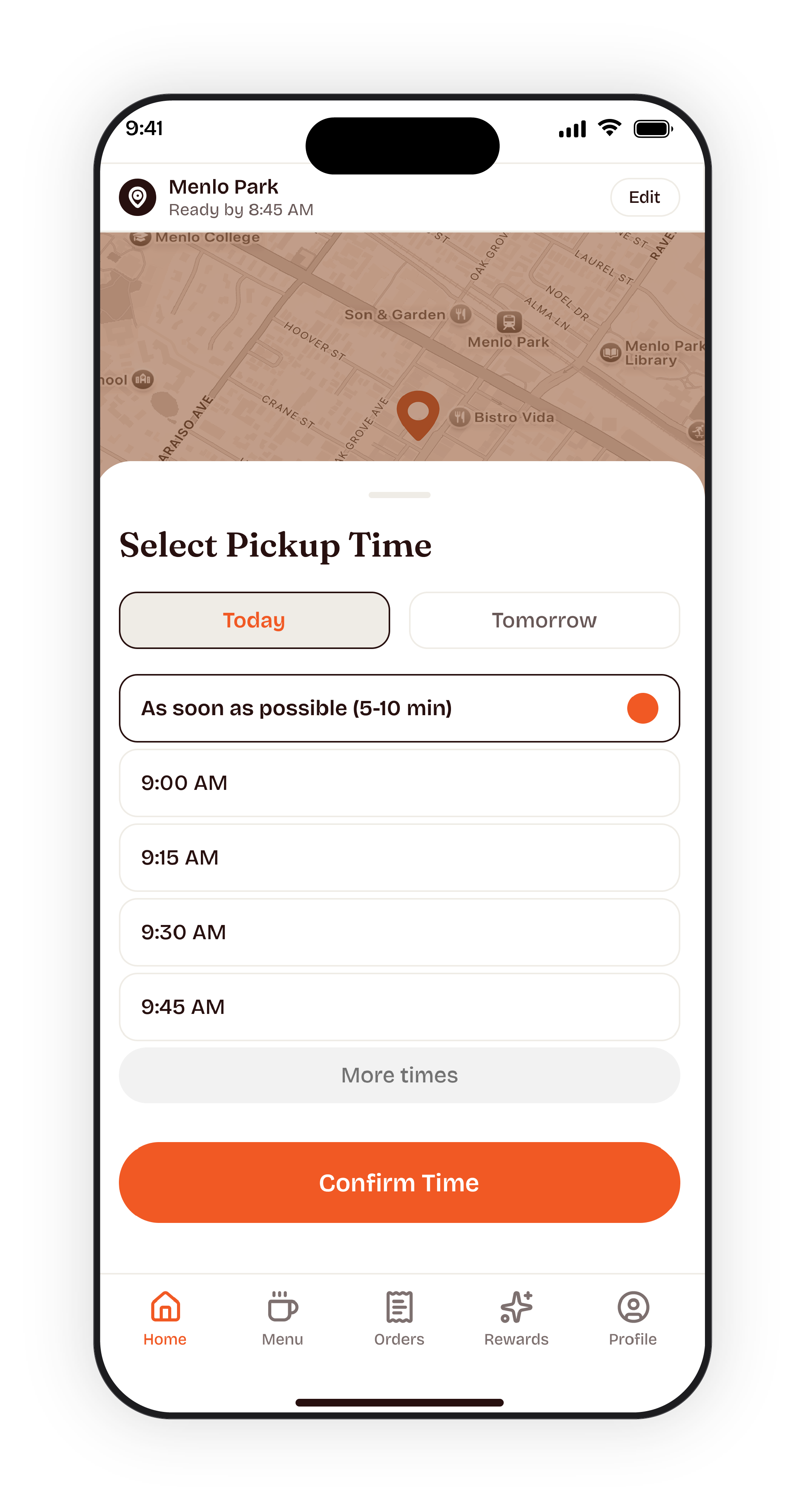
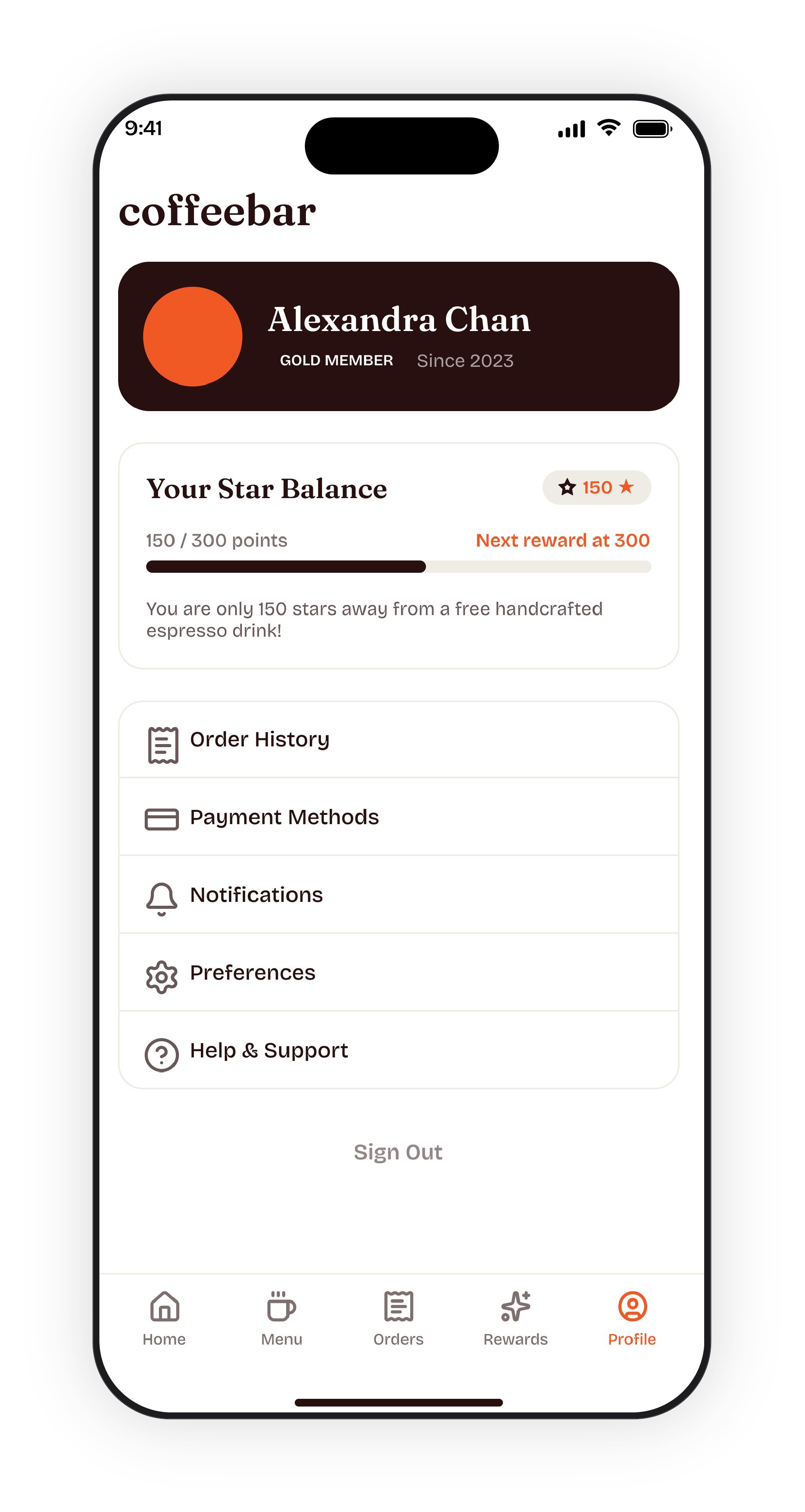
Coffeebar, a Northern California coffee chain, relied on a third-party ordering platform that made familiar orders cumbersome and pickup timing difficult to plan around. I designed a simpler experience that gave customers more control over what they ordered, where they picked it up, and when it would be ready.
ROLE
Visual Designer · UX/UI Designer
2023
TIMELINE
4 Months
SCOPE
Mobile App · UX/UI · User Research
The Problem
A premium coffee experience without a digital experience to match
Coffeebar’s in-store experience felt thoughtful and elevated, but its ordering journey didn’t reflect the same level of care. The challenge was to create a more intuitive digital experience that felt consistent with the brand while making everyday ordering easier.

The Opportunity
Turn everyday ordering into a more intentional brand experience
A dedicated ordering experience could simplify repeat purchases, customization, and pickup planning while giving customers more control over their routine.
Research
Understanding the coffee run.
Research focused on how customers order coffee, where friction occurs, and which decisions matter most during repeat purchases. These insights helped define the experience’s features and hierarchy.
Key Insight
Customers wanted more control without more effort.
Customization was valuable, but too many decisions slowed the experience down. The product needed to balance flexibility with speed, keeping frequently used actions easy to find and repeat.

User Flow
Turning friction into a clearer journey
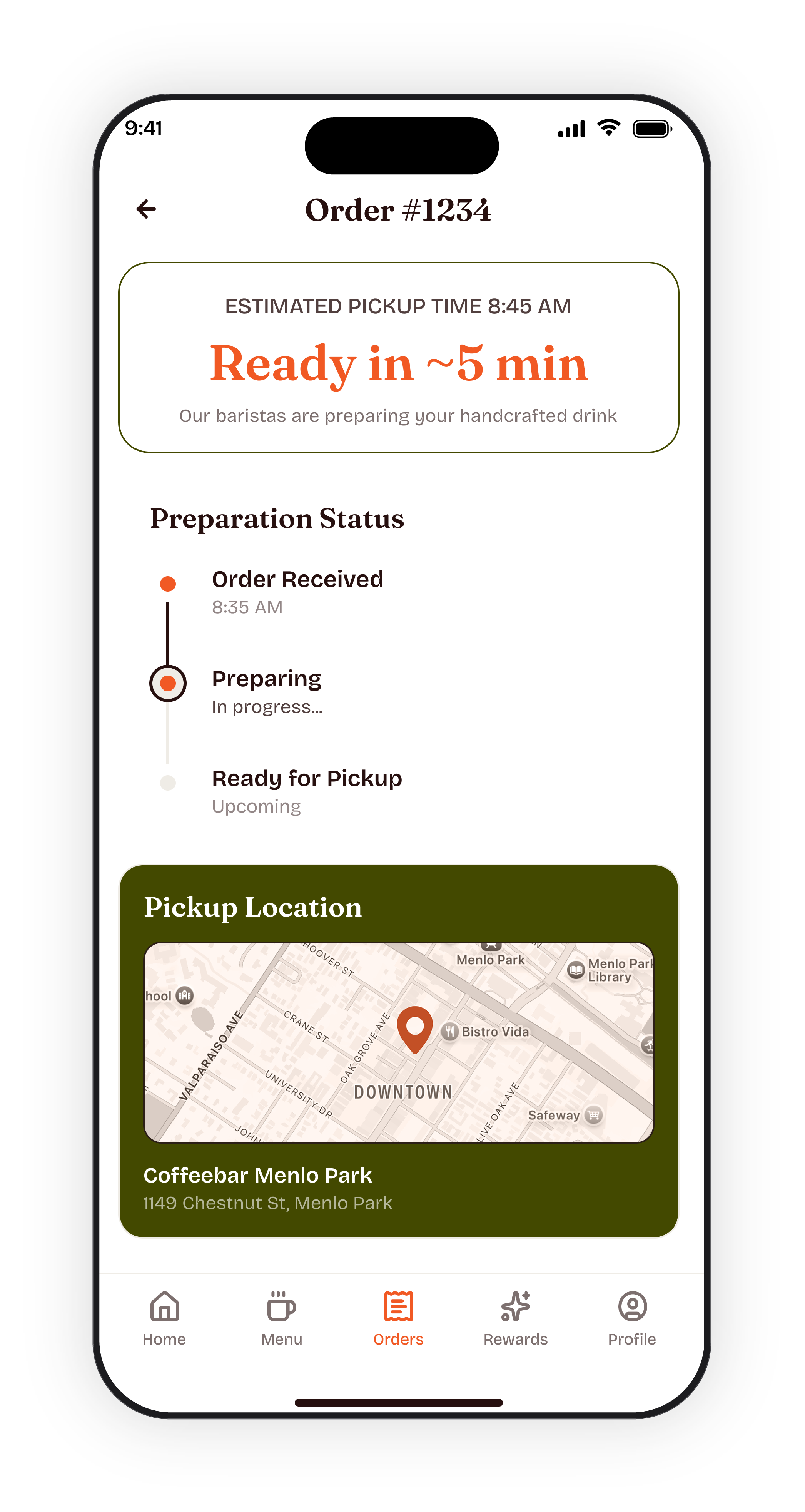
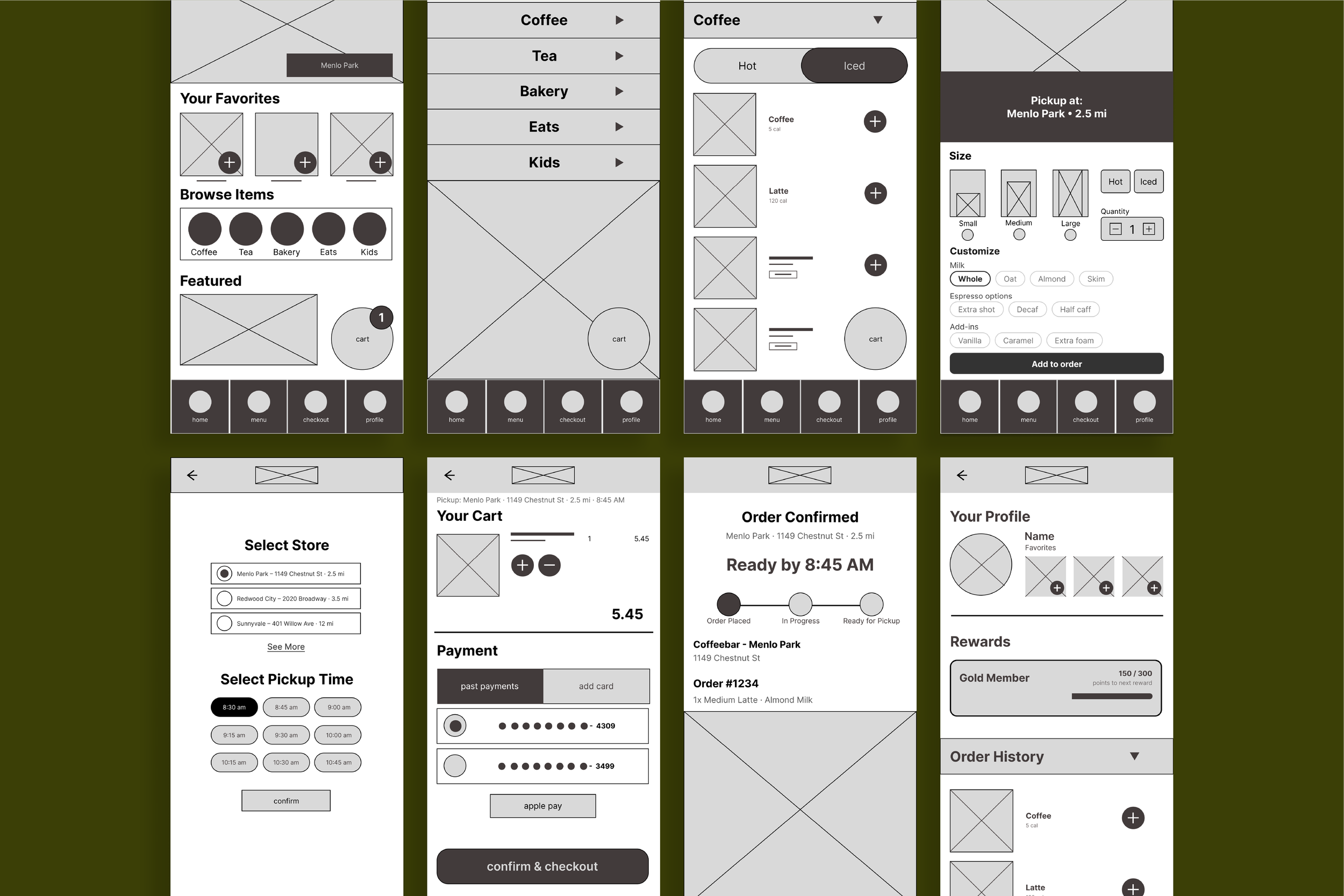
I mapped the ordering experience from product discovery through customization, checkout, and pickup, reducing unnecessary decisions and creating a more intuitive path from start to finish.
From Research to Prototype
Designing around the decisions that matter most.
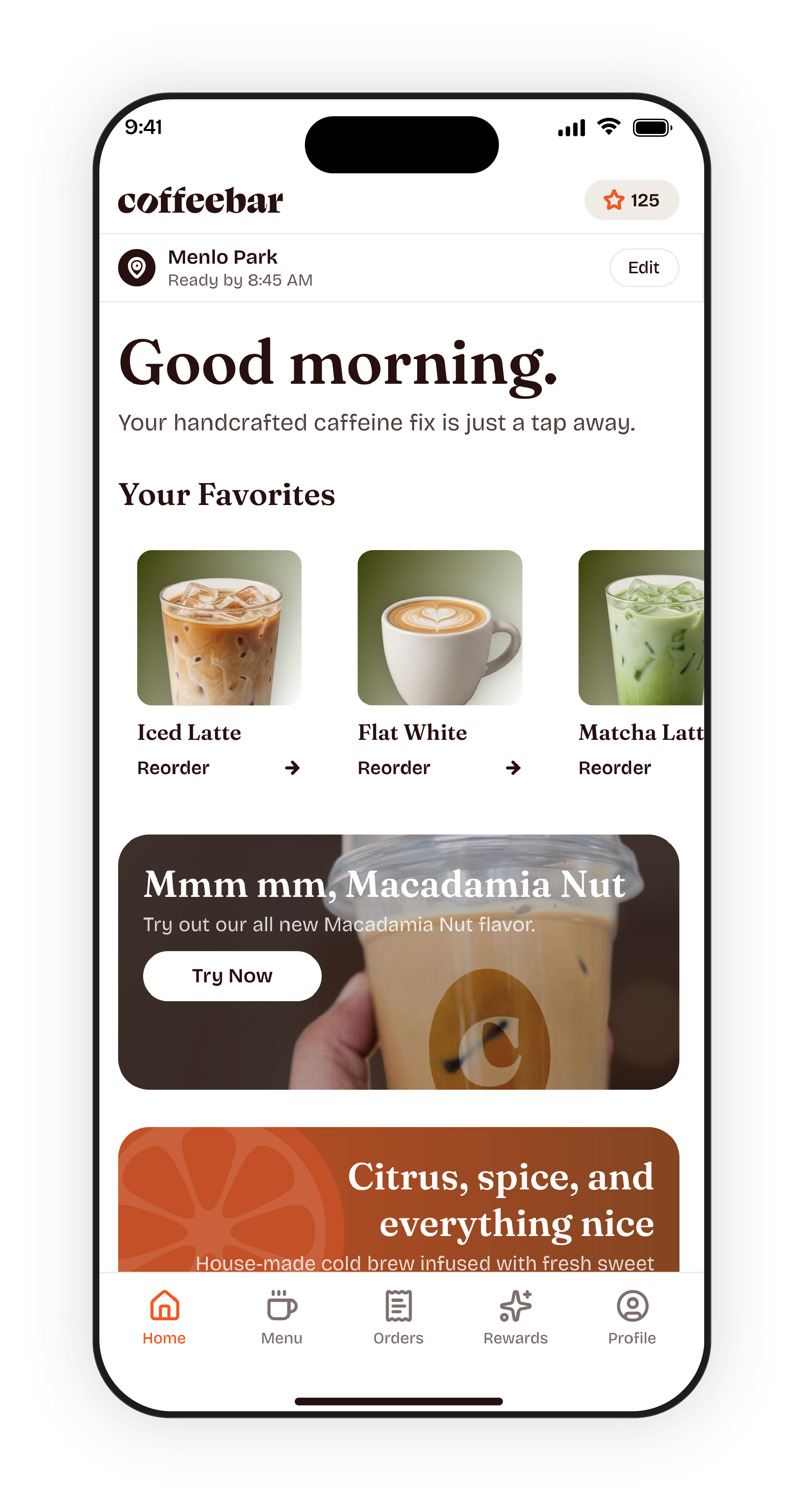
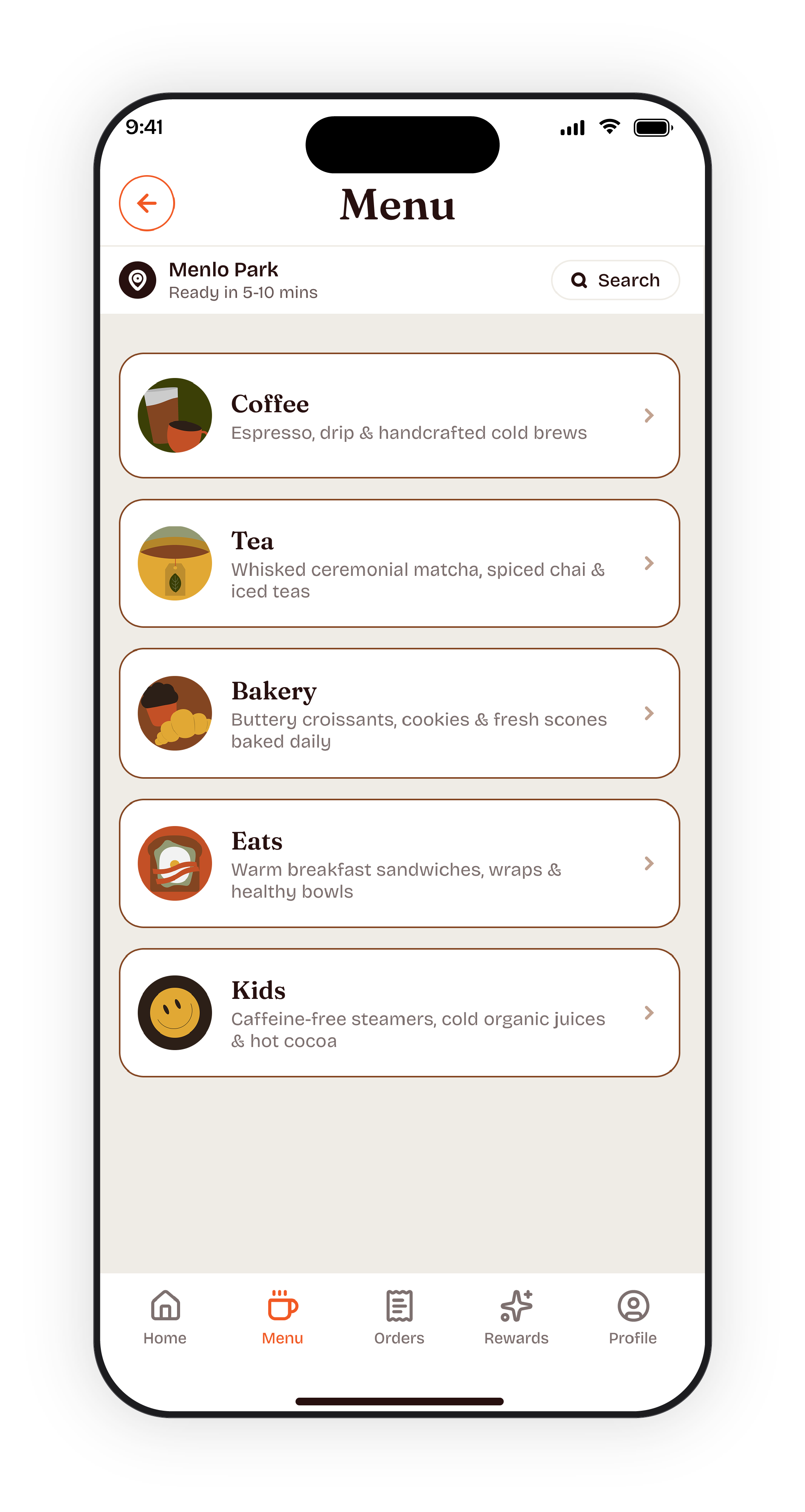
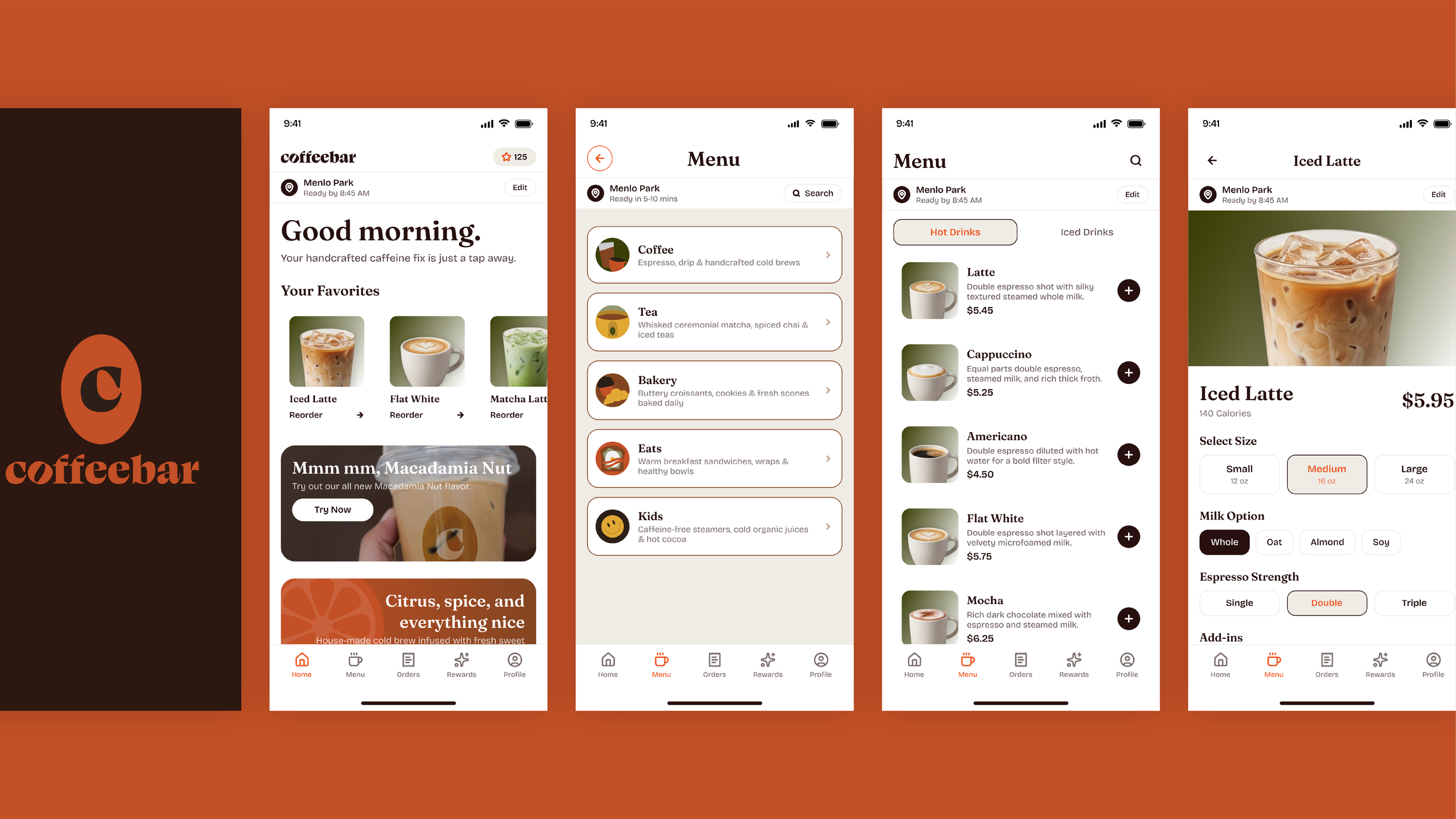
Research findings were translated into a mobile-first interface focused on clear hierarchy, familiar interactions, and fast repeat ordering while maintaining Coffeebar’s visual identity.
Usability Testing
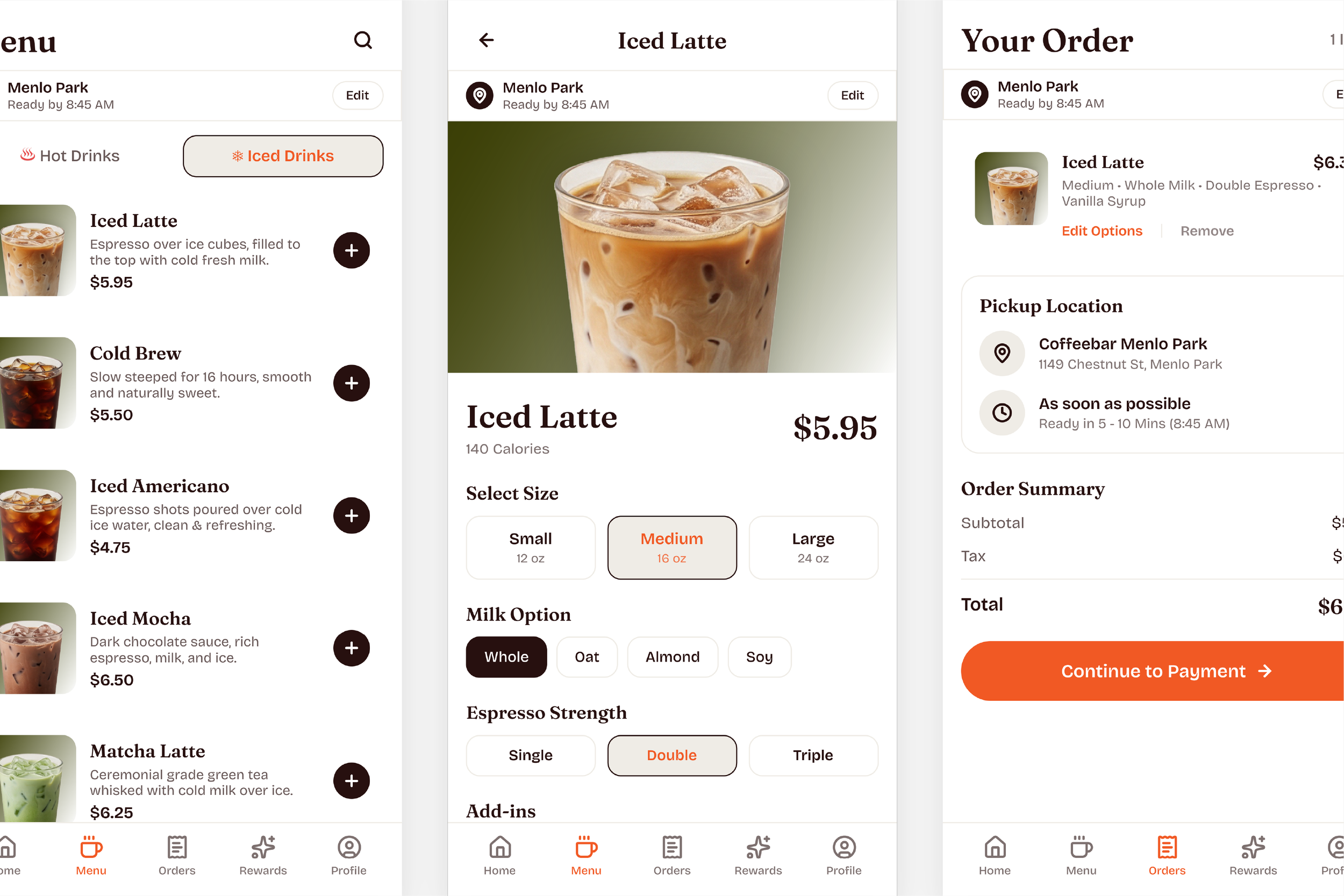
01. Pickup time was easy to lose track of.
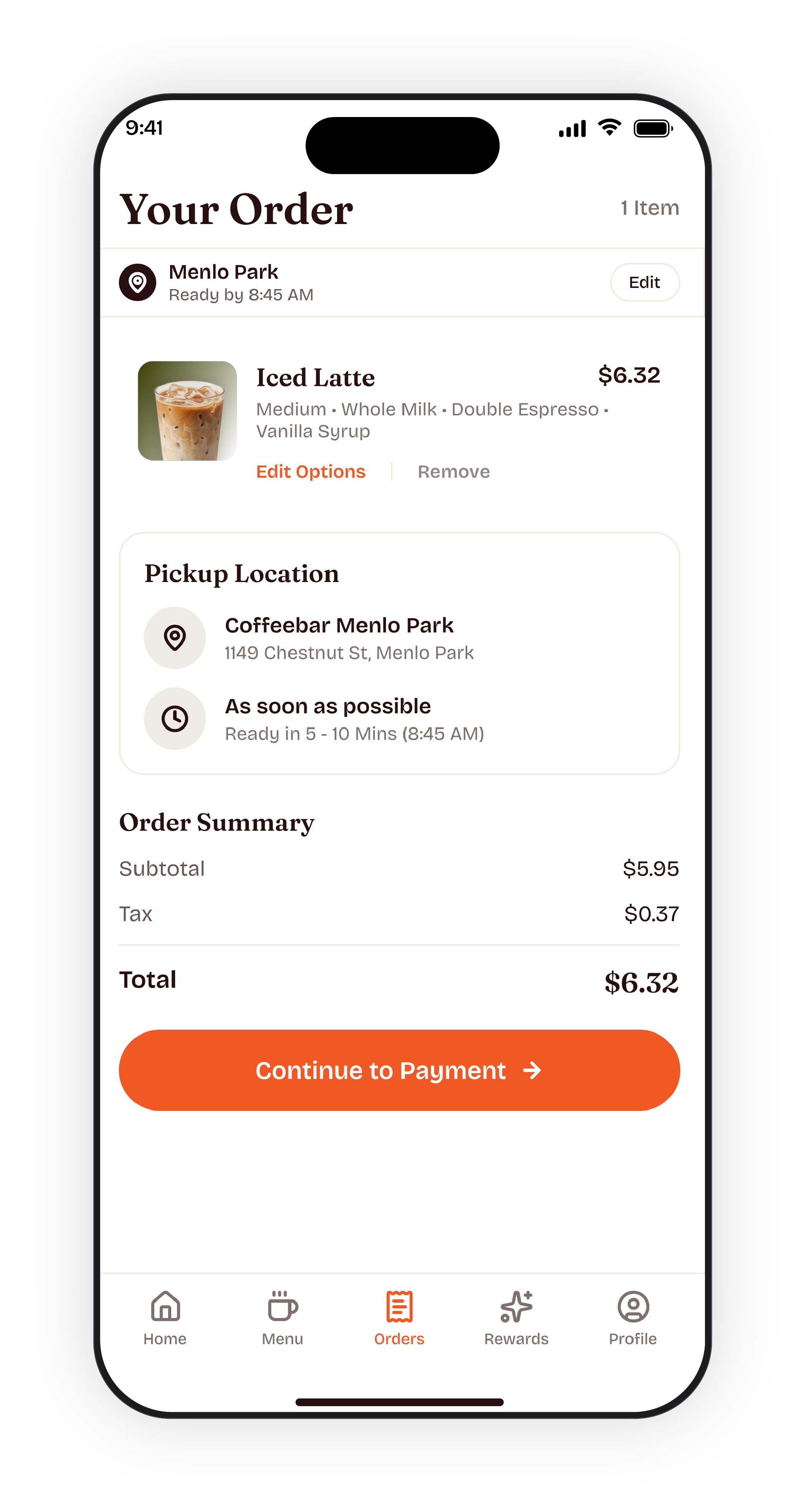
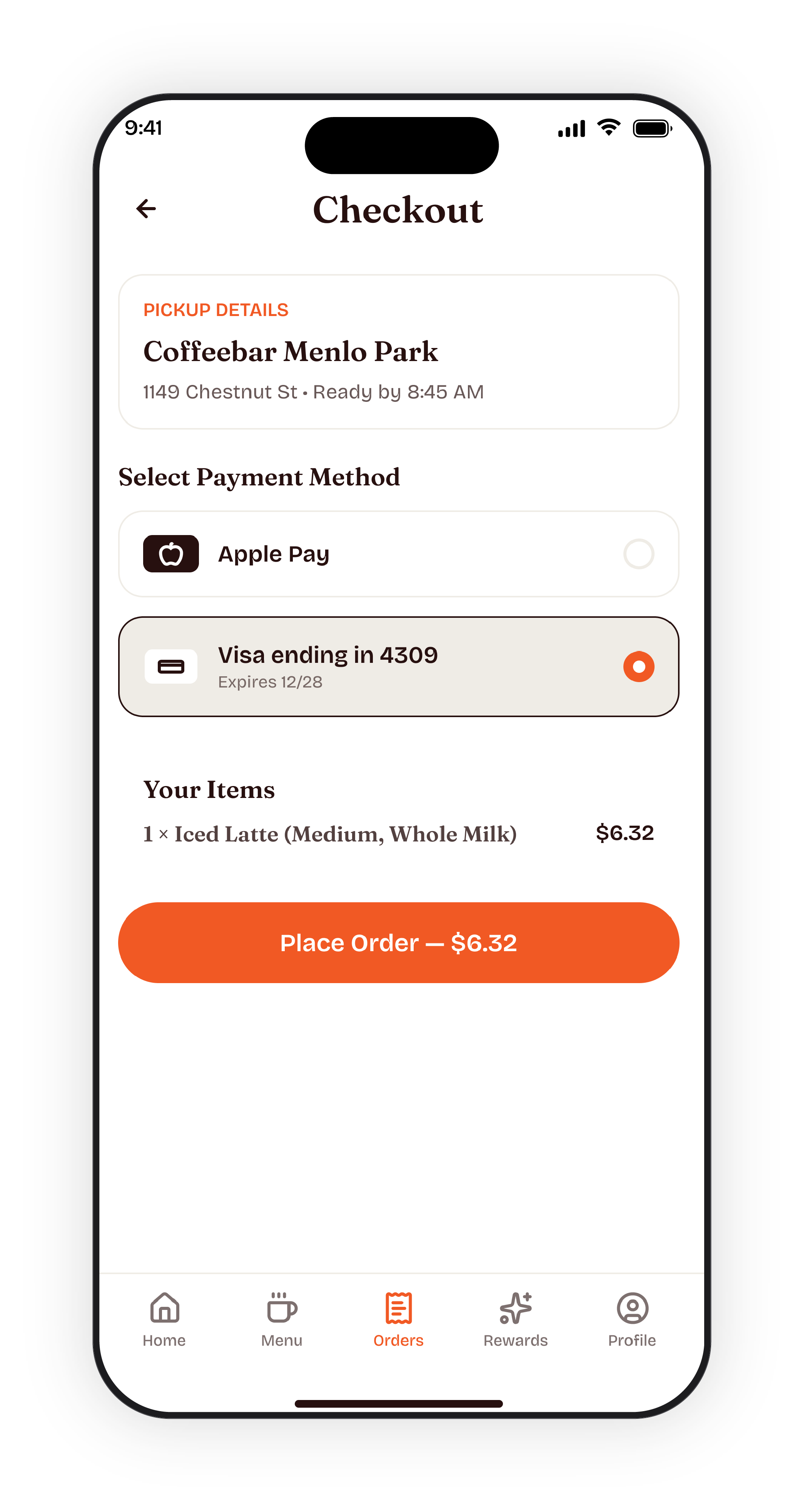
Testing showed that customers often lost track of their selected pickup time as they moved through the ordering process. Keeping it visible throughout customization and checkout gave users more confidence about when their order would be ready.
02. Too much customization created friction.
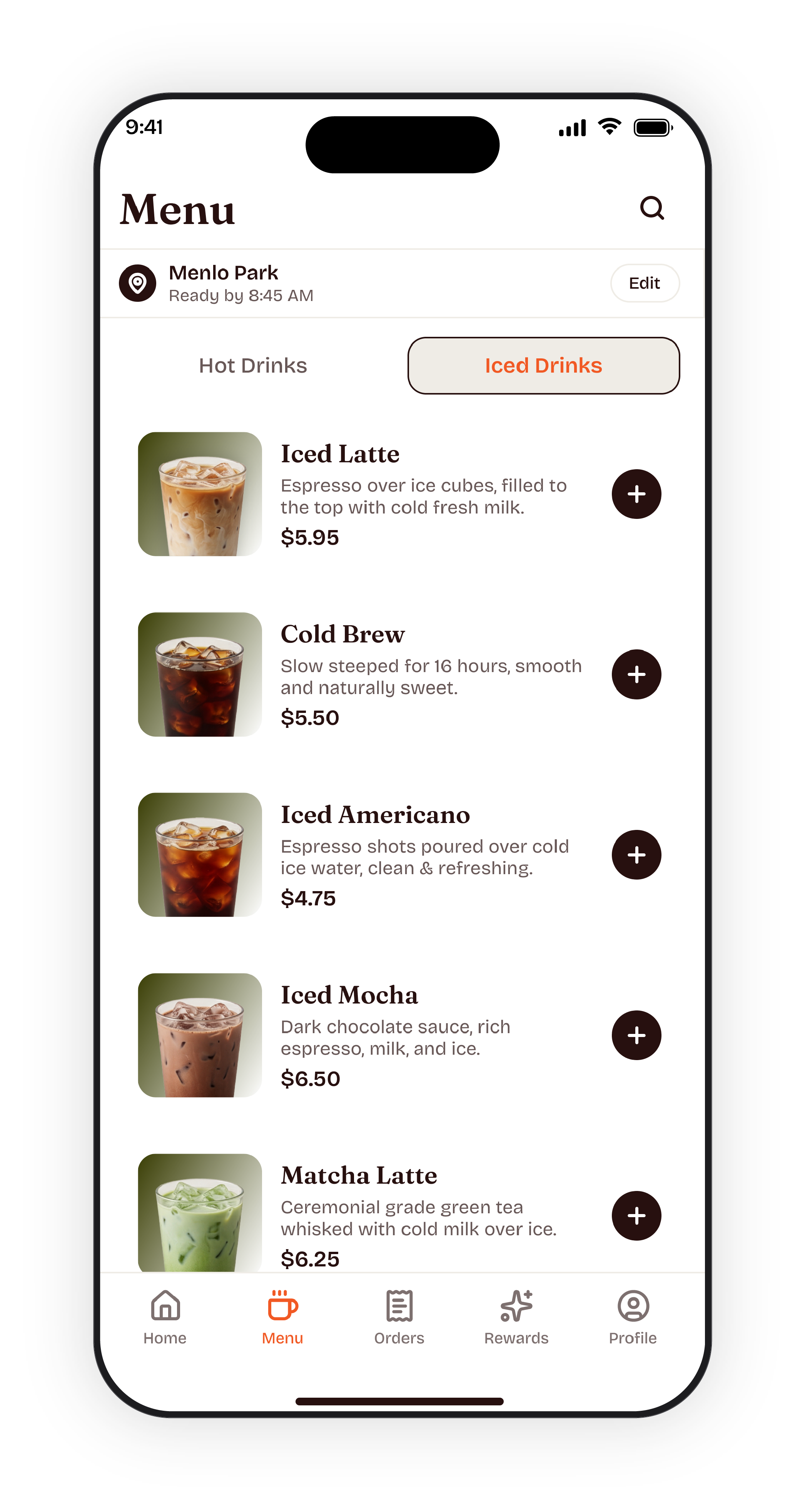
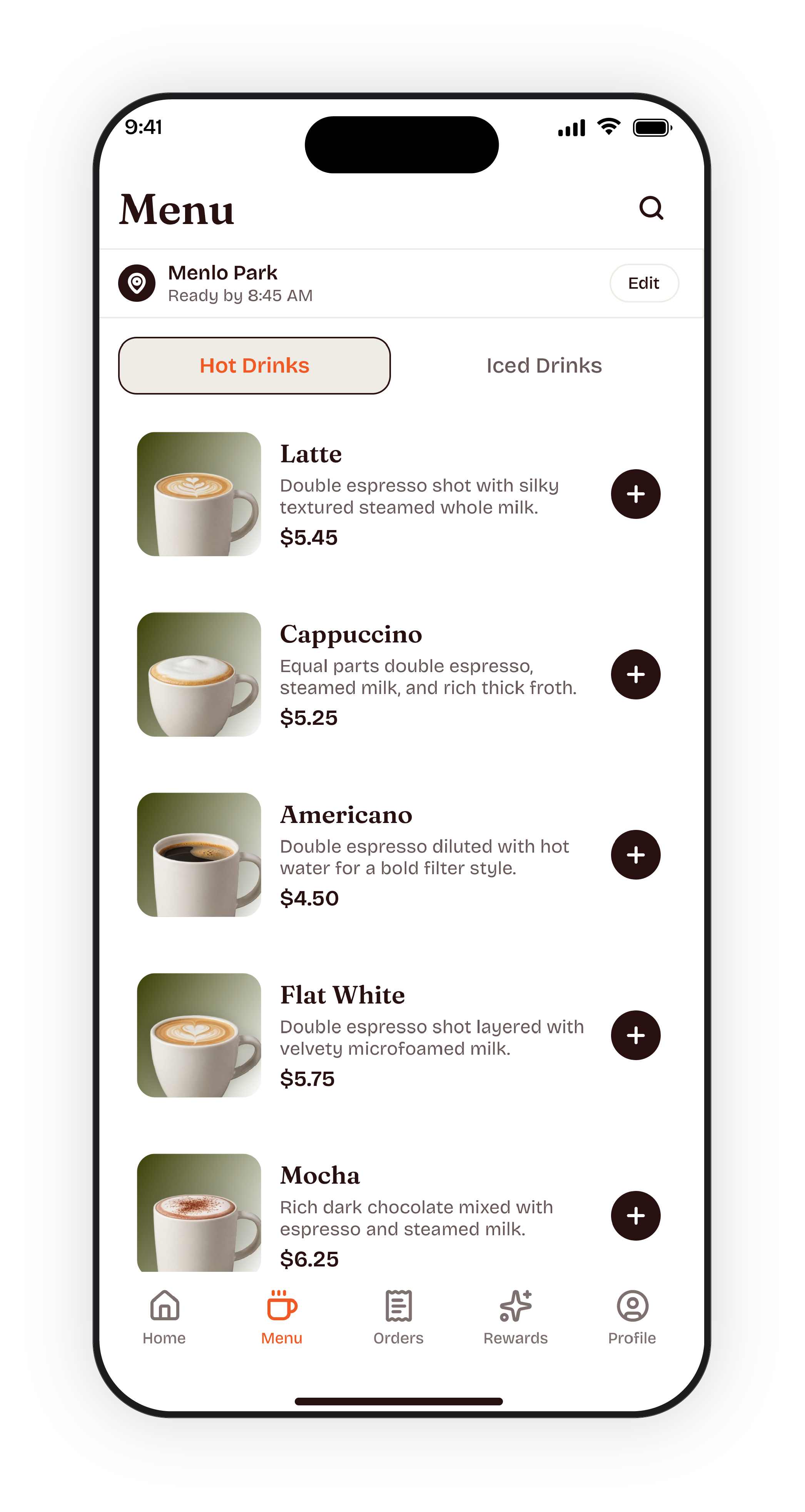
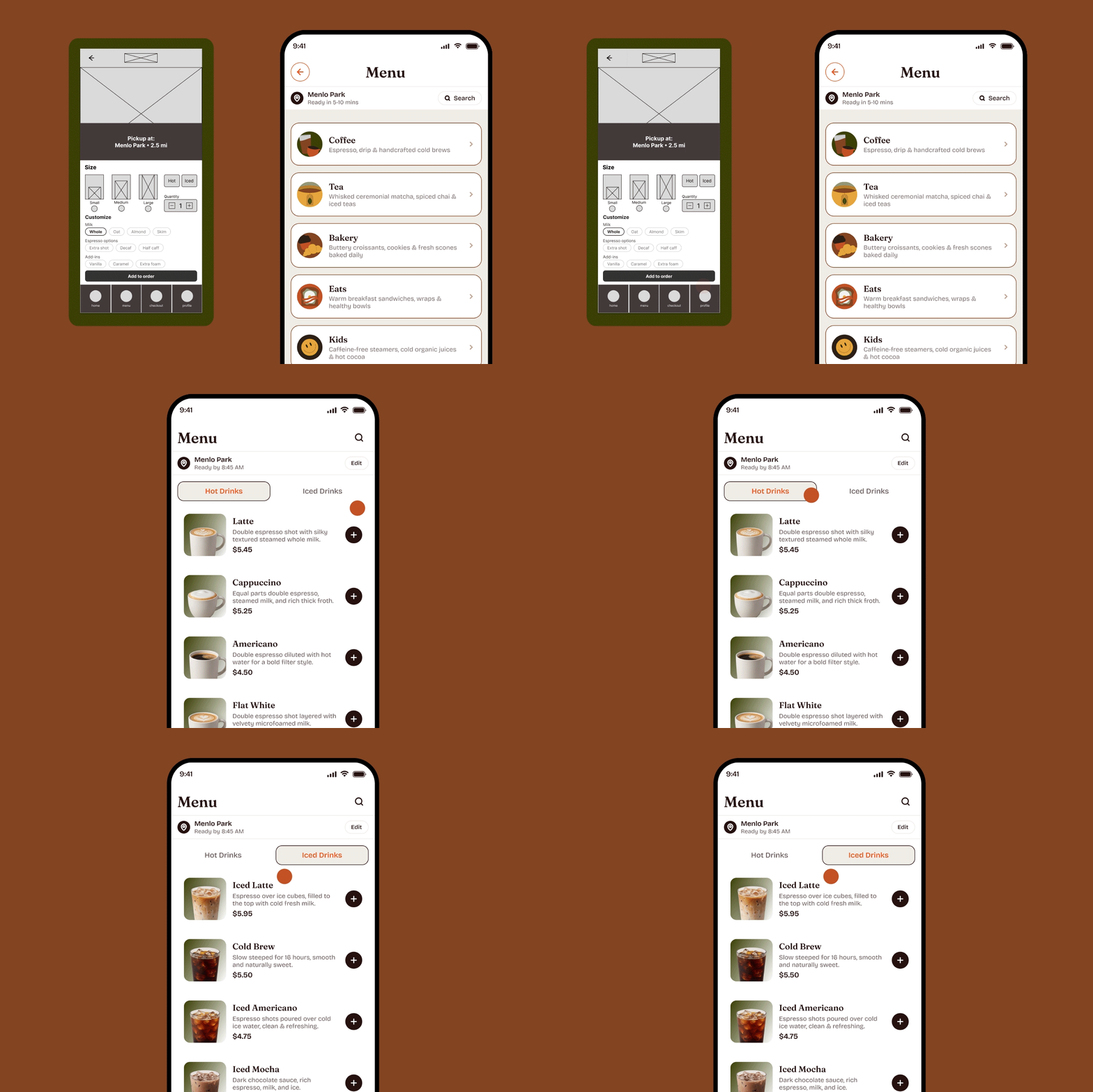
I initially designed the flow so users selected a drink first, then chose whether they wanted it hot or iced. Testing showed that this added unnecessary friction, since most users already knew which they wanted before selecting a drink.
The flow was reorganized to surface hot and iced options earlier, making customization feel more intuitive and reducing unnecessary decisions.
The Result
A faster, clearer way to order coffee.
The final concept simplifies ordering, keeps pickup timing visible, and gives customers the flexibility to customize without adding unnecessary friction. The result is a more intuitive experience built around the way Coffeebar customers actually order.